Check a signature PNG for a transparent background
Place one signature PNG on two backgrounds to tell a transparent export from an opaque white box.
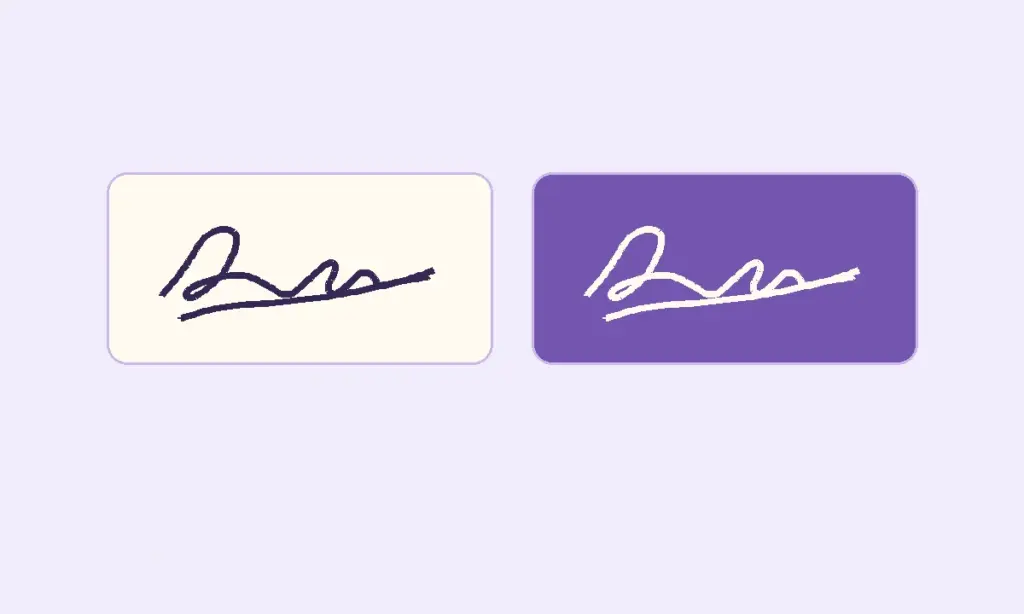
A signature on a white page can look clean even when the image carries a white rectangle of its own. Move the same file onto a coloured background. If the rectangle moves with the ink, there is a background somewhere in the process. Start with the original export so you can tell where it entered.
Keep one original file
Draw a practice mark in Signature Maker and use Download PNG. Choose a loose set of loops for the test if you plan to share screenshots with anyone. Save the downloaded file outside the document. Taking a screen capture of the pad would give you a record of the interface, including its background, and would make the test about a different image.
The PNG specification describes several ways a PNG can represent transparency. The file extension tells you the format. What matters here is whether the pixels outside the ink are actually transparent.
Try two background colours
In a slide or drawing editor, make a plain rectangle in a light colour and a second one in a dark colour. Insert the original PNG twice and put a copy on each rectangle. Keep the images at the same size, with a little space around them. Look first at the corners of the image, then at the thin edges of the strokes.
In a successful test the two rectangles remain visible right up to the ink. The edges may pick up traces of the background because partially transparent pixels smooth the stroke. If a square panel stays white in both places, it belongs to the image or to the way the editor imported or framed it. Click the picture and look for a fill style before replacing the file.
Track the point where a box appears
If the practice PNG is transparent in the test editor but boxed in a PDF or email, test the exported PDF or a sent message next. Keep changing only one step. For example, upload the original PNG to the document rather than copying it from a preview, then export the same page again. A box that appears only in the second output gives you a much narrower problem to solve.
Keep that original next to the finished document. It gives you one reliable file to try when the same mark has to work on a letterhead with a different background.